


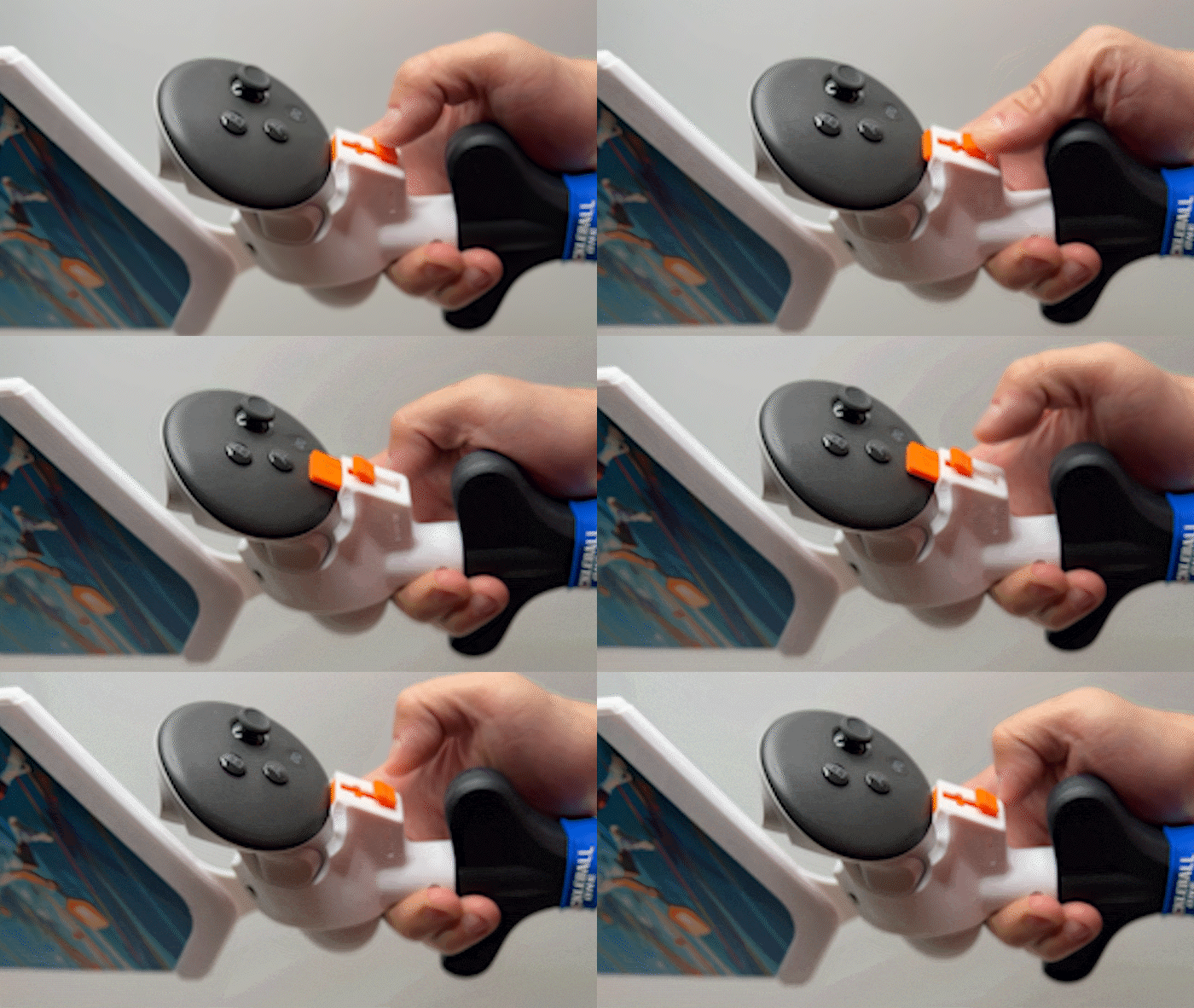

How to Lock
A good experience starts with good habit. The first rule is to ensure your controller is fully secured before you swing. The Glidelock is an exclusive security system that allows TOOLESS assembly.
Simply insert the controller and fully seated, then push down to slide up and make sure it is locked in place. If you know how to use a boxcutter, you know how to use a GlideLock.
- Insert the controller fully into the mount.
- Press the red button down and forward to unlock.
- Slide the mechanism all the way up to lock it securely in place.
You're ready to play! (Make sure you have in-game preset turned on)
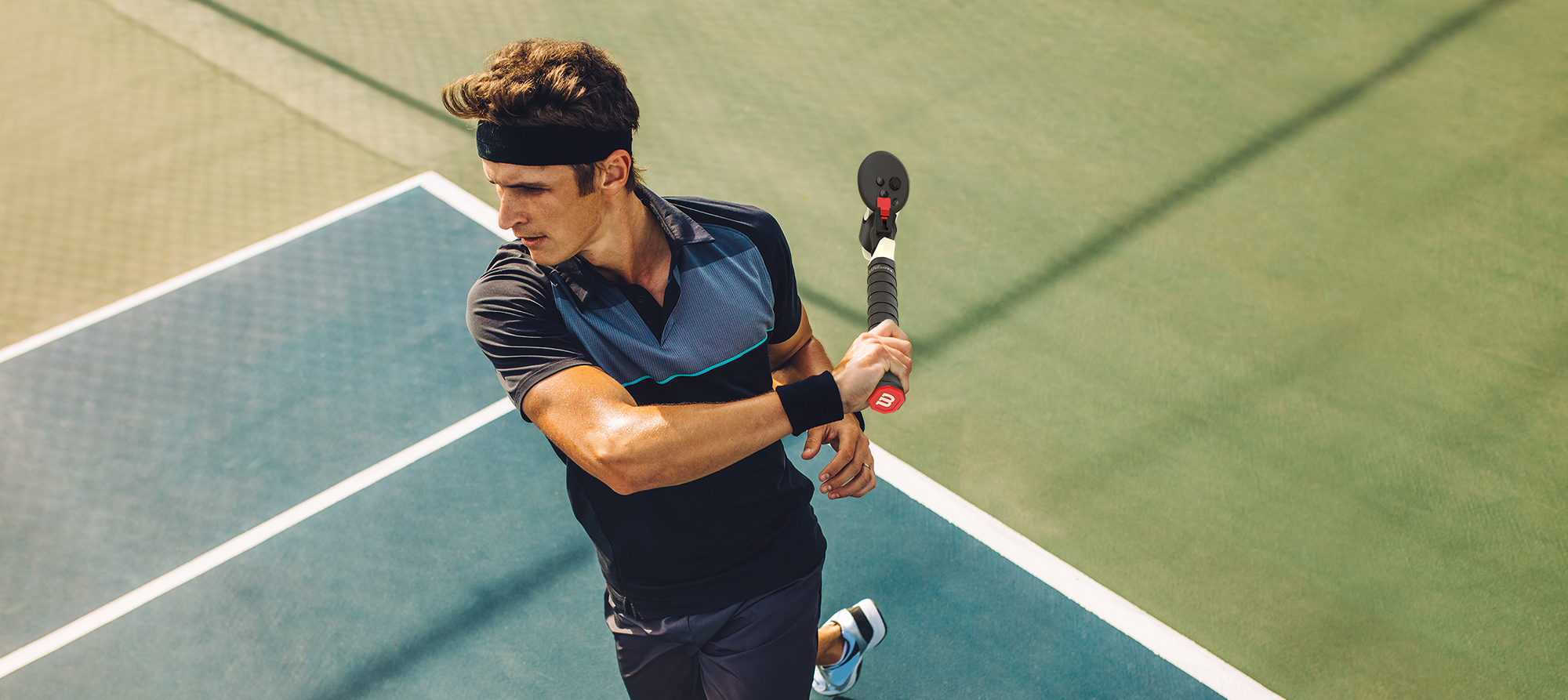
How to Swing
The MotionRacket™ features genuine and licensed Wilson tennis grip for a true to life experience. For the best experience, start slow and ensure a clear play area of at least 6ft x 6ft.

How to Grip
The MotionRacket™ is designed with the most authentic tennis grip in mind. That means you can grip it like your IRL racket. Whether it's Continental, Eastern or Western grip. For more proper tennis grip techniques, please visit here.

In-Game Preset Alignment
MotionRacket™ provides a dedicated preset for precise paddle alignment in First Person Tennis and Match Point Tennis. Simply follow these steps:
.
For First Person Tennis:
- Go to Pause Menu → Calibrate Controller.
- Select the Wilson FORMX preset (Works for Quest 2, 3, and 3s)
Once set, your paddle will be perfectly aligned, letting you focus on your game!

Troubleshooting
To be updated


